
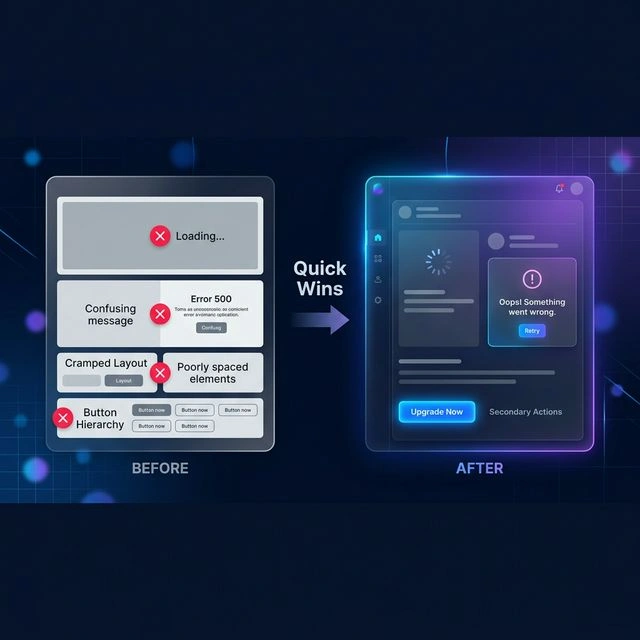
Your backend works perfectly but users complain about the UI. Discover quick, high-impact UI improvements that dramatically improve user experience without a complete redesign.
In today's competitive digital landscape, user experience (UX) is often the deciding factor between product success and failure. While a robust backend ensures smooth functionality, a polished user interface (UI) is what keeps users engaged and satisfied. If your product's backend is performing flawlessly but users are still voicing concerns about the interface, it's time to focus on strategic UI enhancements.
Many product teams mistakenly believe that significant UI improvements require a complete redesign, which is often time-consuming and expensive. However, numerous high-impact changes can be implemented quickly, dramatically enhancing the user experience without the need for a full overhaul. Research from the Nielsen Norman Group consistently shows that speed and feedback are the two factors users notice most — and both are fixable without touching your visual design.
1. Improve Visual Hierarchy
Visual hierarchy guides the user's eye through the interface, highlighting the most important elements and actions. A well-structured hierarchy makes the interface easier to scan and understand, reducing cognitive load and improving usability.
Why It Matters
Users typically scan interfaces rather than reading them thoroughly. Clear visual hierarchy ensures that users can quickly identify key information and understand the page structure without conscious effort. This is especially important for complex applications where users need to process information efficiently.
How to Implement
Start by identifying the most important elements on each screen. Use size, color, contrast, and placement to make these elements stand out. For example, primary actions should be visually distinct from secondary actions. Use consistent spacing and alignment to create a clean, organized layout. The NNGroup’s visual hierarchy research shows that users form their initial scan path within the first 50ms of seeing a new screen.
Common Mistakes to Avoid
- Using too many different font sizes and styles can create visual clutter.
- Lack of contrast between text and background makes content hard to read.
- Inconsistent spacing and alignment make the interface look unprofessional.
2. Simplify Navigation
Navigation is the backbone of any application. If users can't find what they need quickly and easily, they'll become frustrated and may abandon your product. Simplifying navigation involves decluttering menus, organizing content logically, and ensuring that primary actions are always accessible.
Why It Matters
Complex or confusing navigation systems are a major source of user frustration. When users have to hunt for features or struggle to understand where to go next, their productivity decreases and their overall experience suffers. Simple, intuitive navigation makes users feel confident and in control.
How to Implement
Start by auditing your current navigation structure. Identify any redundant or unused menu items and remove them. Group related items together logically and use clear, concise labels. Consider implementing a sticky navigation bar that remains visible as users scroll, ensuring that primary actions are always within reach.
Common Mistakes to Avoid
- Overloading menus with too many options creates confusion.
- Using vague or technical labels makes navigation difficult for non-technical users.
- Lack of consistency in navigation patterns across the application creates a disjointed experience.
3. Optimize Forms and Inputs
Forms are critical interaction points in most applications. Complex, confusing, or error-prone forms can significantly deter users and lead to high abandonment rates. Optimizing forms involves simplifying them, providing clear guidance, and offering helpful feedback.
Why It Matters
Users often dread filling out forms. When forms are complicated or unclear, users may abandon the task altogether, resulting in lost conversions or incomplete data. Well-designed forms, on the other hand, make interactions feel effortless and encourage completion.
How to Implement
Start by reducing the number of fields to the absolute minimum required. Group related fields together and use clear, descriptive labels. Implement inline validation to provide immediate feedback as users fill out the form, highlighting errors as they occur. Use placeholder text to guide users on the expected input format. For long forms, consider breaking them into smaller, manageable steps with a progress indicator.
Common Mistakes to Avoid
- Requiring too much information upfront can overwhelm users.
- Lack of clear error messages makes it difficult for users to correct mistakes.
- Not providing input examples or formatting requirements can lead to user errors.
4. Improve Loading States and Feedback
Users need to know what's happening when they interact with your application. Slow or unclear loading states can make the interface feel unresponsive and unreliable. Providing clear, immediate feedback reassures users and improves their perception of the application's performance.
Why It Matters
Users expect instant responses from digital interfaces. When there's a delay between an action and the system's response, users may wonder if the application is frozen or if their action was registered. Proper feedback manages user expectations and reduces perceived wait times.
How to Implement
Use skeleton screens or loading placeholders to show where content will appear as it loads. For interactive elements, provide immediate visual feedback when clicked, such as a button changing state or a loading spinner appearing. For longer operations, display a progress bar or an estimated time remaining. Use optimistic UI updates where appropriate to make the interface feel snappier.
Common Mistakes to Avoid
- Showing a blank screen during loading can make users think the application has crashed.
- Not providing any feedback for button clicks can leave users uncertain whether their action was processed.
- Using generic error messages without context makes it difficult for users to understand what went wrong.
5. Enhance Readability and Typography
Readability is fundamental to a good user experience. If users struggle to read content, they can't effectively use your application. Enhancing readability involves optimizing typography, spacing, and text presentation.
Why It Matters
Poor readability leads to eye strain and cognitive fatigue, making users less likely to engage with your content. Clear, legible text ensures that users can consume information quickly and comfortably, improving their overall experience.
How to Implement
Choose a clean, legible font with sufficient contrast against the background. Ensure that body text is at least 16px for web applications, with adequate line height (typically 1.5-1.7) to improve readability. Use proper paragraph formatting with sufficient white space between lines and paragraphs. Avoid using all caps or long strings of text without breaks, as this makes content difficult to scan.
Common Mistakes to Avoid
- Using very small font sizes makes text hard to read, especially on mobile devices.
- Insufficient contrast between text and background significantly reduces readability.
- Overusing decorative fonts or text effects can make content difficult to understand.
6. Implement Responsive Design
With the proliferation of devices, ensuring your application looks and works well on all screen sizes is no longer optional. Responsive design allows your interface to adapt seamlessly to different devices, providing an optimal experience for every user.
Why It Matters
Users access applications on a wide range of devices, from smartphones and tablets to desktops and large monitors. A non-responsive design forces users to pinch, zoom, and scroll excessively, leading to frustration and abandonment. Responsive design ensures that your application is accessible and enjoyable for everyone, regardless of their device.
How to Implement
Use a mobile-first approach, designing for the smallest screens first and then scaling up for larger displays. Employ CSS media queries to apply different styles based on screen dimensions. Use flexible layouts with relative units (percentages, em, rem) instead of fixed pixel values. Ensure that touch targets are large enough for mobile users and that navigation is optimized for touch interactions.
Common Mistakes to Avoid
- Designing only for desktop and ignoring mobile users excludes a significant portion of your audience.
- Using fixed-width layouts prevents the interface from adapting to different screen sizes.
- Not testing on actual devices can lead to layout issues that only appear on specific screen sizes.
7. Optimize Performance and Perceived Speed
Performance is a critical aspect of user experience. Slow-loading pages and sluggish interactions can frustrate users and lead to high bounce rates. Optimizing performance involves improving load times and making the interface feel more responsive. Google’s Lighthouse tool is the fastest way to find and prioritize performance bottlenecks in your existing interface.
Why It Matters
Users expect fast, responsive interfaces. Slow performance creates a poor user experience, making the application feel unreliable and unprofessional. Fast loading times and smooth interactions improve user satisfaction and retention.
How to Implement
Optimize images by compressing them and using appropriate formats. Implement lazy loading for images and other resources that are not immediately visible. Use code splitting to load only the necessary code for the current view. Optimize database queries and server-side processing to reduce response times. Implement caching strategies to store frequently accessed data for faster retrieval.
Common Mistakes to Avoid
- Not optimizing images can significantly increase page load times.
- Loading all resources upfront, even those not immediately needed, slows down the initial page load.
- Lack of caching for frequently accessed data forces unnecessary server requests.
8. Implement Accessibility Features
Accessibility ensures that your application can be used by everyone, including people with disabilities. Making your interface accessible not only expands your potential user base but also demonstrates a commitment to inclusivity and professionalism. The WCAG 2.2 guidelines are the standard reference for what “accessible” means in practice, covering contrast, keyboard navigation, and screen reader support.
Why It Matters
A significant portion of the population has disabilities that can affect their ability to use digital interfaces. Failing to consider accessibility can exclude these users and may even result in legal issues in some regions. Accessible design benefits all users by providing a more flexible and user-friendly experience.
How to Implement
Use semantic HTML to provide structure and meaning to your content. Ensure that all interactive elements are keyboard navigable and have appropriate ARIA labels. Provide text alternatives for all images and multimedia content. Use sufficient color contrast to make text readable for users with visual impairments. Allow users to adjust text size without breaking the layout.
Common Mistakes to Avoid
- Not providing keyboard navigation makes the application unusable for users who cannot use a mouse.
- Insufficient color contrast makes content difficult to read for users with visual impairments.
- Failing to provide alt text for images makes the content inaccessible to screen reader users.
9. Implement User Testing and Feedback Loops
The most effective way to identify UI issues is to observe real users interacting with your application. Implementing user testing and feedback mechanisms allows you to gather valuable insights that can guide your enhancement efforts.
Why It Matters
Developers and designers are often too close to their work to see it objectively. Users bring fresh perspectives and can quickly identify usability problems that the development team may have overlooked. User feedback is essential for prioritizing improvements and ensuring that your changes actually address user needs.
How to Implement
Conduct usability testing sessions where you observe users as they complete typical tasks in your application. Use tools like Hotjar for heatmaps and session recordings to understand how users navigate and where they encounter difficulties. Implement feedback mechanisms within the application, such as “Send Feedback” buttons or short surveys, to gather user input. Analyze the feedback regularly and use it to prioritize your UI enhancement roadmap.
Common Mistakes to Avoid
- Relying solely on internal testing without involving actual users can lead to overlooking critical usability issues.
- Not acting on user feedback makes users feel unheard and unvalued.
- Failing to test with a diverse range of users can result in an interface that only works well for a specific demographic.
10. Implement Analytics and Monitoring
To effectively improve your UI, you need to understand how users are currently interacting with your application. Implementing analytics and monitoring tools allows you to track user behavior, identify problem areas, and measure the impact of your changes.
Why It Matters
Without data, UI improvements are based on assumptions rather than evidence. Analytics provide objective insights into user behavior, helping you identify where users struggle, what features they use most, and where they drop off. This data-driven approach ensures that your enhancement efforts are focused on areas that will have the greatest impact.
How to Implement
Integrate analytics tools like Mixpanel or Hotjar to track user interactions. Set up event tracking for key actions, such as button clicks, form submissions, and page views. Monitor metrics such as bounce rate, conversion rate, and time on page to identify areas that need improvement. Use A/B testing to compare different UI variations and determine which performs better. Regularly review your analytics data to identify trends and opportunities for optimization.
Common Mistakes to Avoid
- Not tracking user behavior makes it impossible to measure the effectiveness of your UI changes.
- Failing to analyze the data collected prevents you from identifying actionable insights.
- Not testing changes with A/B testing makes it difficult to determine which variations perform better.
11. Implement Security Best Practices
Security is a critical aspect of UI design. Failing to implement proper security measures can expose your users and your application to various risks. Ensuring that your interface is secure demonstrates a commitment to protecting your users and maintaining their trust.
Why It Matters
Security breaches can have devastating consequences for both users and businesses. Users trust you with their sensitive information, and any compromise of that trust can lead to significant damage to your reputation. Secure interfaces protect users from unauthorized access, data theft, and other malicious activities.
How to Implement
Implement proper authentication and authorization mechanisms to ensure that only authorized users can access sensitive data. Use HTTPS to encrypt data in transit between the user's browser and your server. Implement proper input validation to prevent common vulnerabilities like cross-site scripting (XSS) and SQL injection. Use secure password storage techniques, such as salting and hashing. Implement proper error handling that does not expose sensitive information. Regularly update your security measures to stay ahead of emerging threats.
Common Mistakes to Avoid
- Not implementing proper authentication and authorization can allow unauthorized access to sensitive data.
- Failing to use HTTPS exposes user data to interception during transmission.
- Not validating user input can lead to various security vulnerabilities.
12. Implement Error Handling and Recovery
Errors are inevitable in any software application. How you handle these errors can significantly impact the user experience. Proper error handling ensures that users are informed about issues and can recover gracefully without losing their work.
Why It Matters
Poor error handling can lead to user frustration, data loss, and a general lack of confidence in the application. When users encounter errors, they need clear, concise information about what went wrong and what they can do to resolve the issue. Effective error handling demonstrates professionalism and a commitment to providing a reliable user experience.
How to Implement
Display user-friendly error messages that explain the problem in plain language, avoiding technical jargon. Provide actionable guidance on how to resolve the error, such as suggesting alternative actions or providing links to relevant documentation. Implement proper validation to prevent errors before they occur. Use optimistic UI updates to provide immediate feedback to users while handling potential errors in the background. Implement proper error logging to track and analyze issues for future improvement.
Common Mistakes to Avoid
- Displaying generic error messages without explanation leaves users confused and unsure of what to do.
- Failing to validate user input can lead to errors that could have been prevented.
- Not providing guidance on how to resolve errors forces users to guess or abandon the task.
13. Implement Performance Optimization
UI performance directly impacts user satisfaction. Slow-loading pages and unresponsive interfaces can cause users to abandon your application. Optimizing performance ensures a smooth, efficient user experience.
Why It Matters
Users expect fast, responsive interfaces. Slow performance can lead to frustration, increased bounce rates, and a negative perception of your brand. Optimizing performance ensures that your application remains competitive and delivers a seamless user experience.
How to Implement
Optimize images and other media assets to reduce page load times. Implement lazy loading for off-screen content. Use caching mechanisms to store frequently accessed data. Optimize database queries and server-side processing. Implement proper code splitting and bundling to reduce initial load times. Use performance monitoring tools to identify and address bottlenecks.
Common Mistakes to Avoid
- Not optimizing images and media assets can significantly increase page load times.
- Failing to implement caching can result in slower performance for repeat visitors.
- Not monitoring performance makes it difficult to identify and address issues before they impact users.
14. Implement Accessibility Testing
Accessibility ensures that your application can be used by everyone, including people with disabilities. Failing to implement accessibility measures can exclude a significant portion of your potential user base and may have legal implications.
Why It Matters
Accessibility is not just a legal requirement; it's a matter of inclusivity and good design. Accessible interfaces benefit all users by providing clearer navigation, better contrast, and more flexible interaction methods. Ensuring accessibility demonstrates your commitment to serving all users.
How to Implement
Follow WCAG (Web Content Accessibility Guidelines) standards to ensure your interface is accessible. Use semantic HTML to provide proper structure for screen readers. Implement keyboard navigation for all interactive elements. Provide sufficient color contrast between text and background. Use ARIA labels to provide additional context for screen reader users. Conduct regular accessibility testing with tools like WAVE and Axe, as well as manual testing with screen readers.
Common Mistakes to Avoid
- Not following WCAG guidelines can exclude users with disabilities.
- Failing to test with screen readers and other assistive technologies makes it difficult to identify accessibility issues.
- Not providing keyboard navigation can make your application unusable for people who cannot use a mouse.
15. Implement Internationalization and Localization
If your application serves a global audience, internationalization (i18n) and localization (l10n) are essential. These processes ensure that your interface can be adapted to different languages, regions, and cultural preferences.
Why It Matters
Internationalization and localization enable you to reach a wider audience and provide a more relevant experience to users in different regions. Properly localized interfaces demonstrate cultural awareness and respect for your users, enhancing brand perception and user satisfaction.
How to Implement
Design your interface to support multiple languages from the outset. Use a modular architecture that separates content from code. Implement proper text expansion support to accommodate different language lengths. Use locale-specific formatting for dates, times, numbers, and currencies. Implement proper right-to-left (RTL) language support for languages like Arabic and Hebrew. Use translation management tools to streamline the localization process.
Common Mistakes to Avoid
- Not designing for internationalization from the start makes it difficult to add later.
- Failing to test with different languages and locales can result in poor user experiences.
- Not considering cultural preferences can lead to inappropriate or offensive content.
16. Implement User Feedback Mechanisms
Providing channels for users to share their feedback is essential for continuous improvement. User feedback provides valuable insights into what's working well and what needs improvement.
Why It Matters
User feedback demonstrates that you value your users' opinions and are committed to providing the best possible experience. It also provides a direct line to understanding user needs and pain points, helping you prioritize enhancements effectively.
How to Implement
Implement various feedback mechanisms, such as feedback forms, surveys, and in-app feedback widgets. Make it easy for users to report bugs or suggest improvements. Respond to user feedback promptly and professionally. Use feedback to prioritize your UI enhancement roadmap. Consider implementing a feature request system where users can vote on suggestions.
Common Mistakes to Avoid
- Not providing feedback channels makes it difficult for users to share their thoughts.
- Failing to respond to user feedback can make users feel ignored.
- Not using feedback to prioritize enhancements means you may be working on the wrong improvements.
17. Implement Progressive Enhancement
Progressive enhancement is an approach that ensures your application works for all users, regardless of their device, browser, or network conditions. It starts with a solid foundation of core functionality and progressively adds enhancements for more capable environments.
Why It Matters
Progressive enhancement ensures that your application remains usable even under suboptimal conditions. It demonstrates a commitment to inclusivity and reliability, providing a baseline experience for all users while offering enhanced features for those with better capabilities.
How to Implement
Start with a solid foundation of core functionality that works in all browsers. Use feature detection to determine available capabilities. Apply enhancements progressively based on what the user's environment supports. Use graceful degradation to handle unsupported features without breaking the core experience. Test your application in various environments to ensure consistent behavior.
Common Mistakes to Avoid
- Not implementing a solid foundation of core functionality can make your application unusable in some environments.
- Failing to test in various environments makes it difficult to identify issues before they impact users.
- Not using feature detection can lead to errors when encountering unsupported features.
18. Implement Continuous Improvement Cycles
UI enhancement is not a one-time project; it's an ongoing process. Implementing continuous improvement cycles ensures that your application evolves with your users' needs and technological advancements.
Why It Matters
Continuous improvement ensures that your application remains relevant, competitive, and user-focused. It demonstrates a commitment to excellence and adaptability, helping you maintain user satisfaction and achieve long-term success.
How to Implement
Establish regular intervals for UI reviews and updates. Collect and analyze user feedback continuously. Monitor performance metrics and analytics regularly. Stay updated with the latest UI design trends and technologies. Implement a feedback loop that incorporates insights from each enhancement cycle into the next. Celebrate successes while learning from failures.
Common Mistakes to Avoid
- Not establishing regular review intervals makes it difficult to maintain momentum.
- Failing to collect and analyze user feedback means you may be making improvements that don't align with user needs.
- Not staying updated with the latest trends and technologies can result in a dated and less competitive UI.
Conclusion
Implementing these UI enhancement steps can transform your application, making it more user-friendly, efficient, and visually appealing. Remember that UI enhancement is an ongoing process that requires continuous attention and improvement.
Start with loading states and error messages — they have the highest impact for the lowest effort. Then work through the rest in order. If you want a second pair of eyes on your interface or need help prioritizing where to start, we offer UI/UX design services at Devian and you can browse more product design and engineering guides in our insights archive.
Reader Thoughts
0 comments — join the conversation
Be the First
No thoughts shared yet. Start the conversation with your unique insight.